From real-time signal decoding to full QSO automation — all on your iPhone or iPad, connected to your radio via a simple audio interface.
📡
Real-Time Waterfall
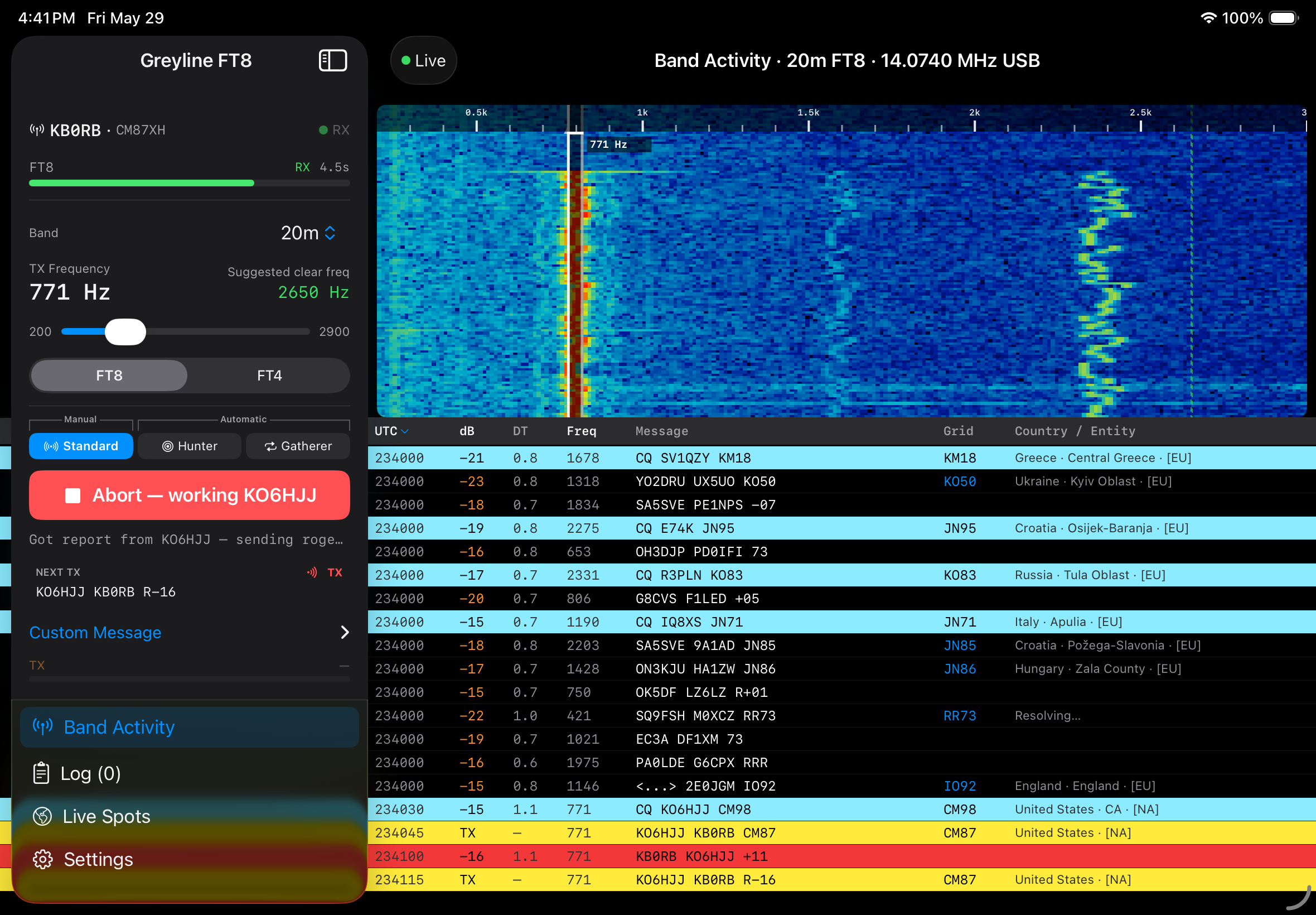
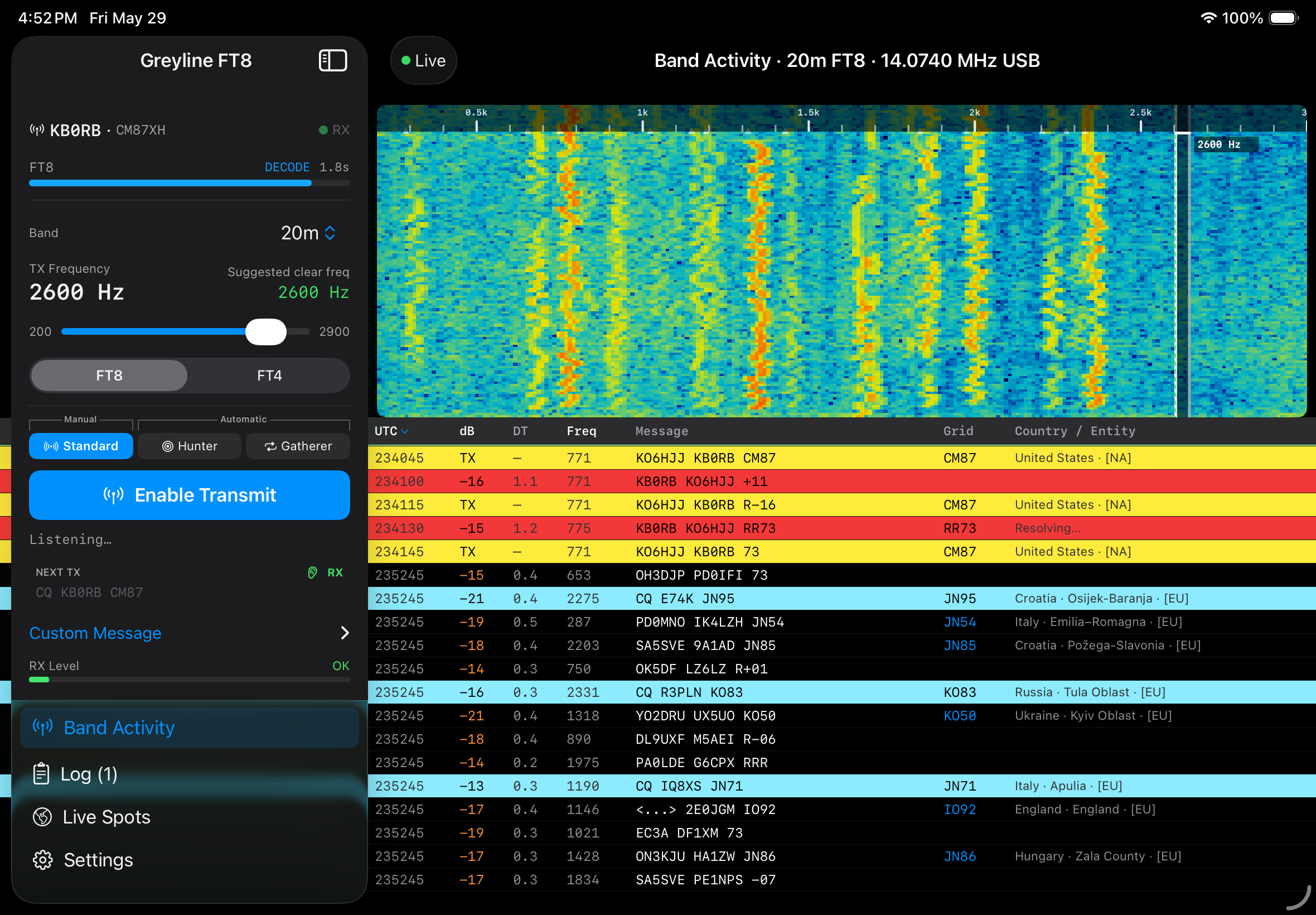
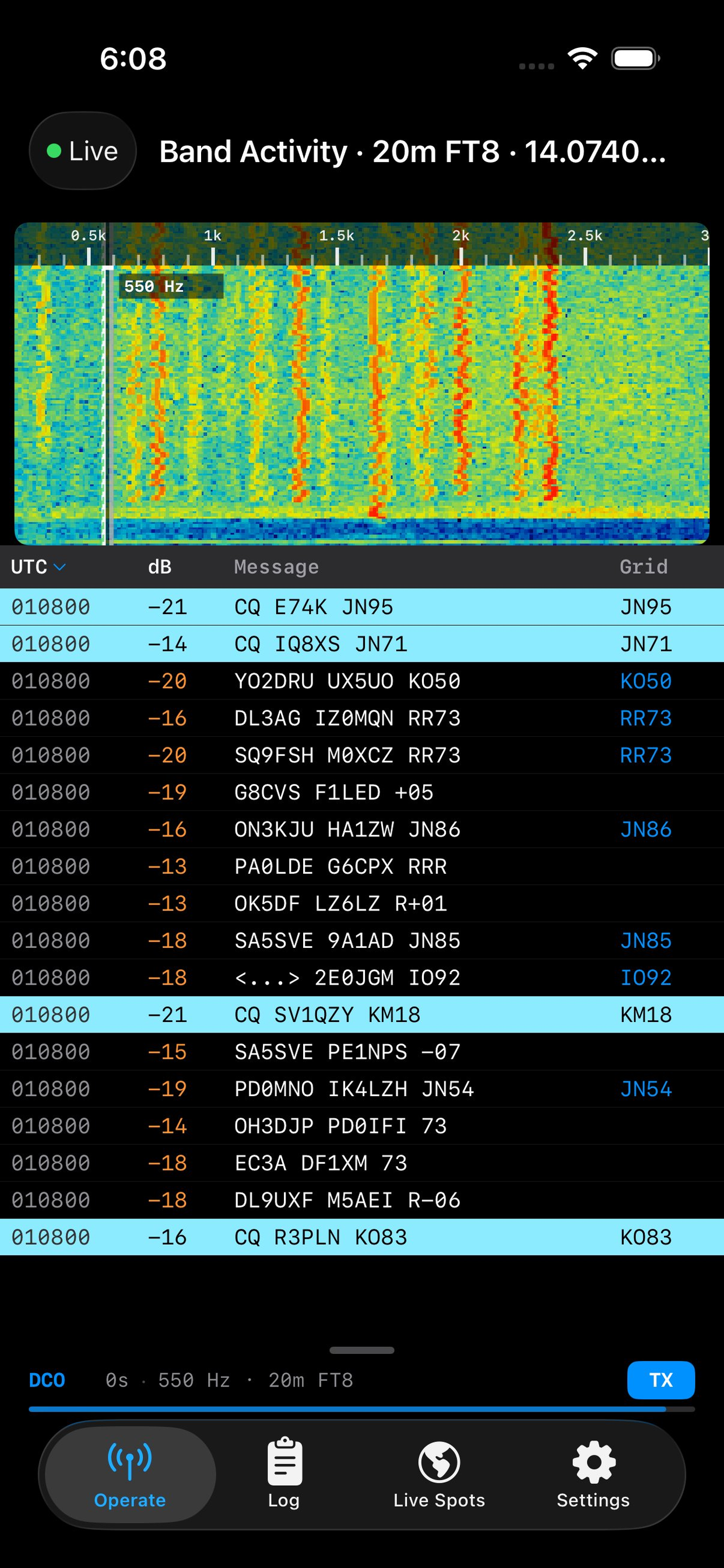
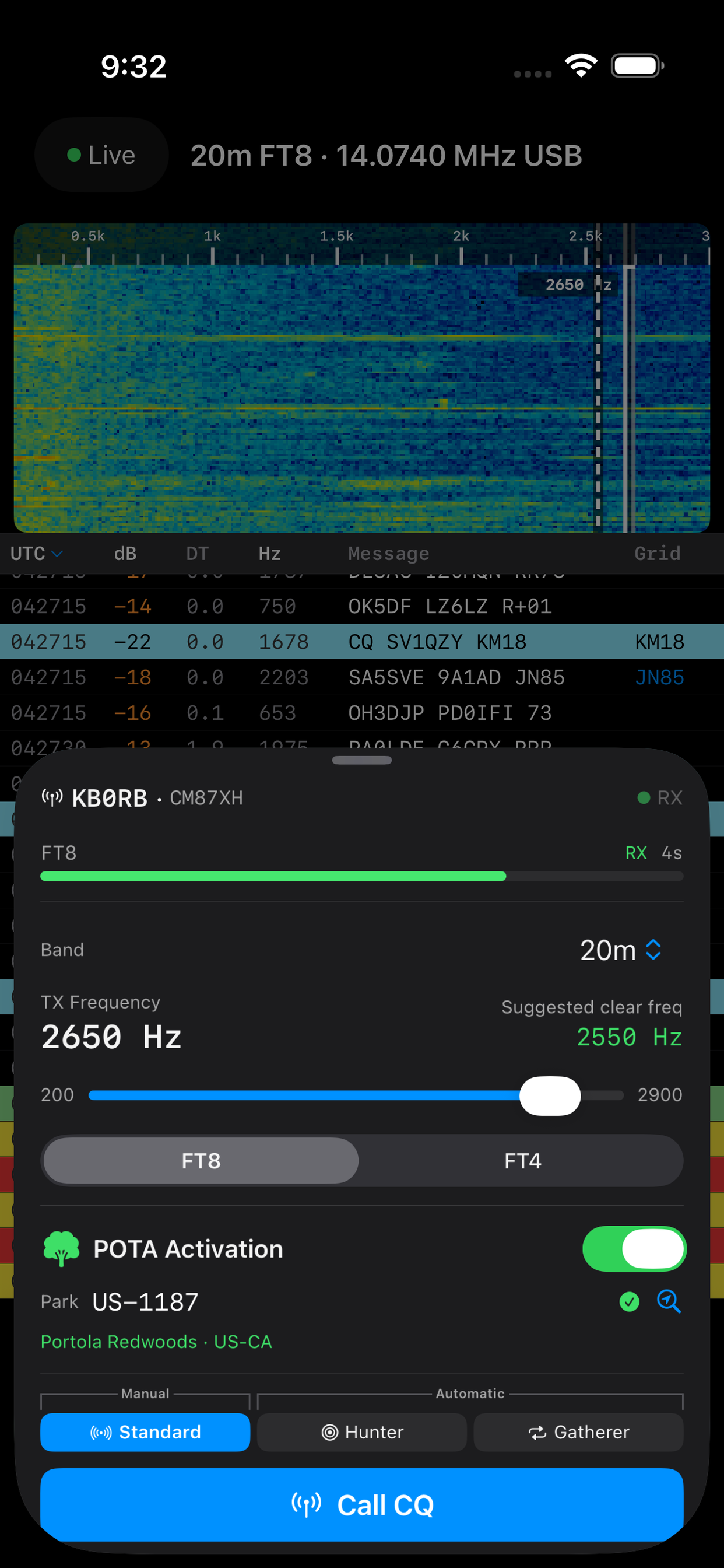
Live FFT waterfall display lets you see band activity at a glance. Tap signals to respond instantly.
🌲
POTA Activation Mode
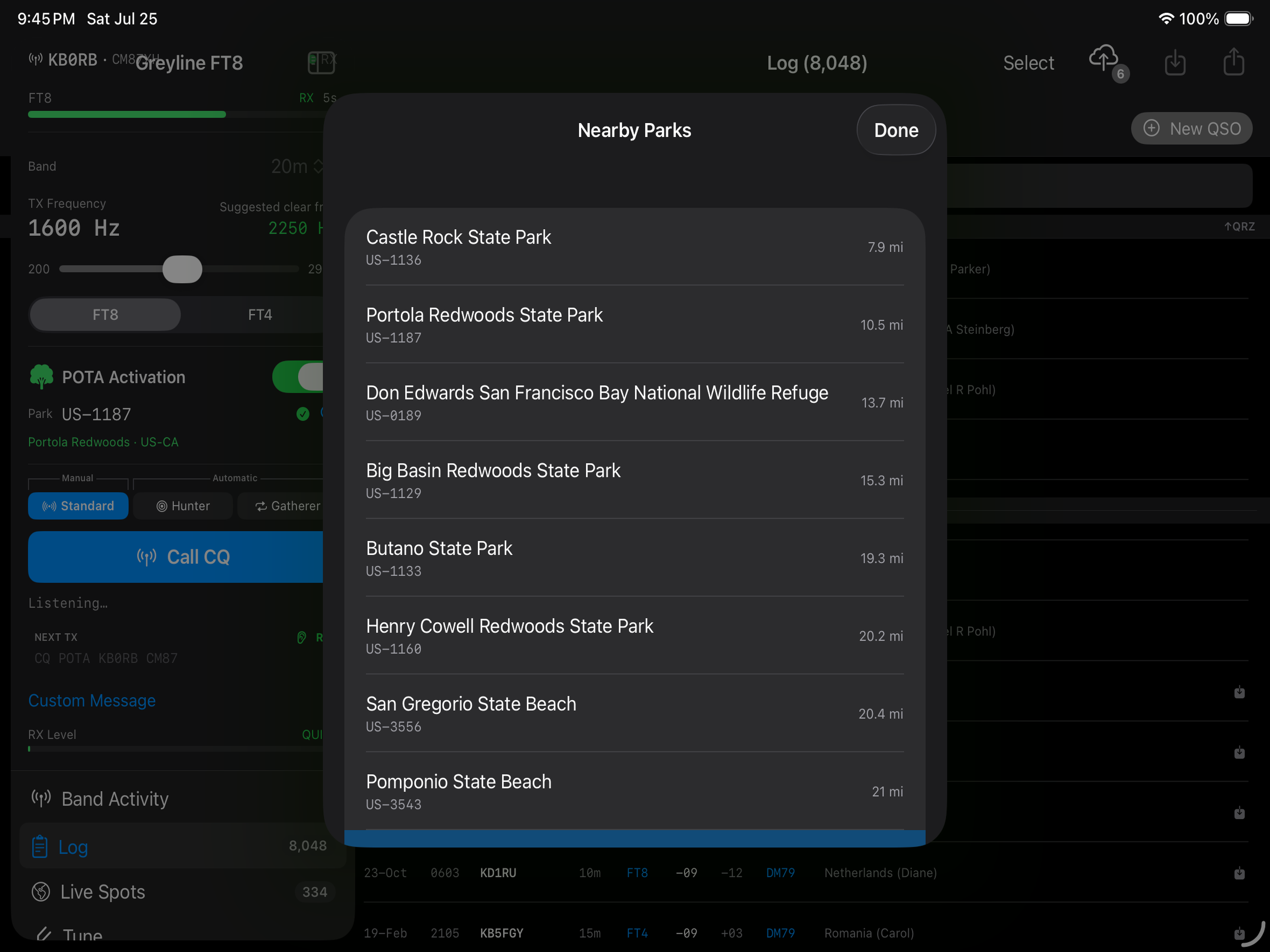
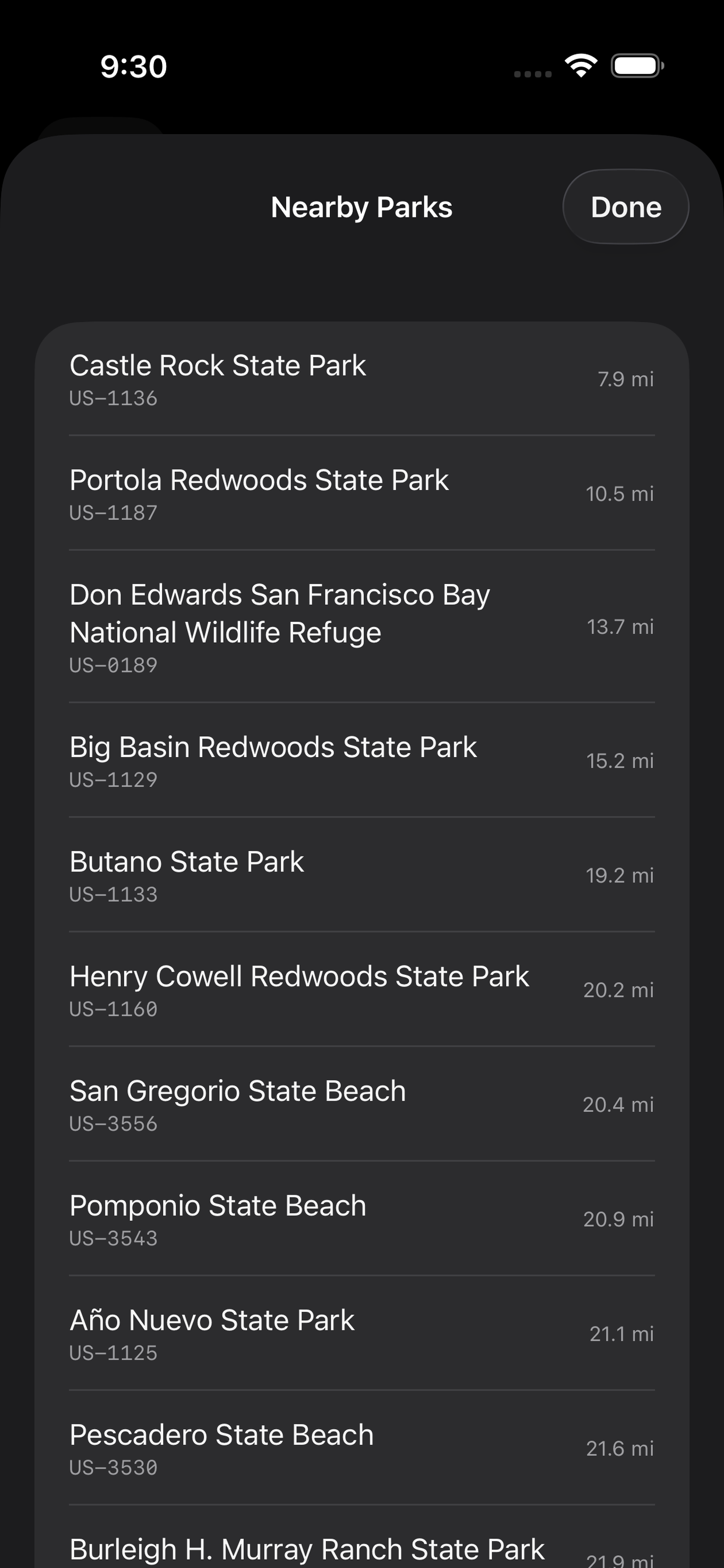
Run a full Parks on the Air activation without leaving the app. Greyline looks up parks near you, adds the POTA addendum to your CQ calls, auto-spots you to the POTA cluster when you start, end, or QSY, and flags duplicate contacts with an orange DUP indicator so you don't accidentally log them twice. A color-coded contact counter tracks your progress toward the 10-contact threshold. Working multiple parks in a day? Each activation gets its own dedicated log export — one touch per park, straight to POTA.app.
🤖
Automated QSO Modes
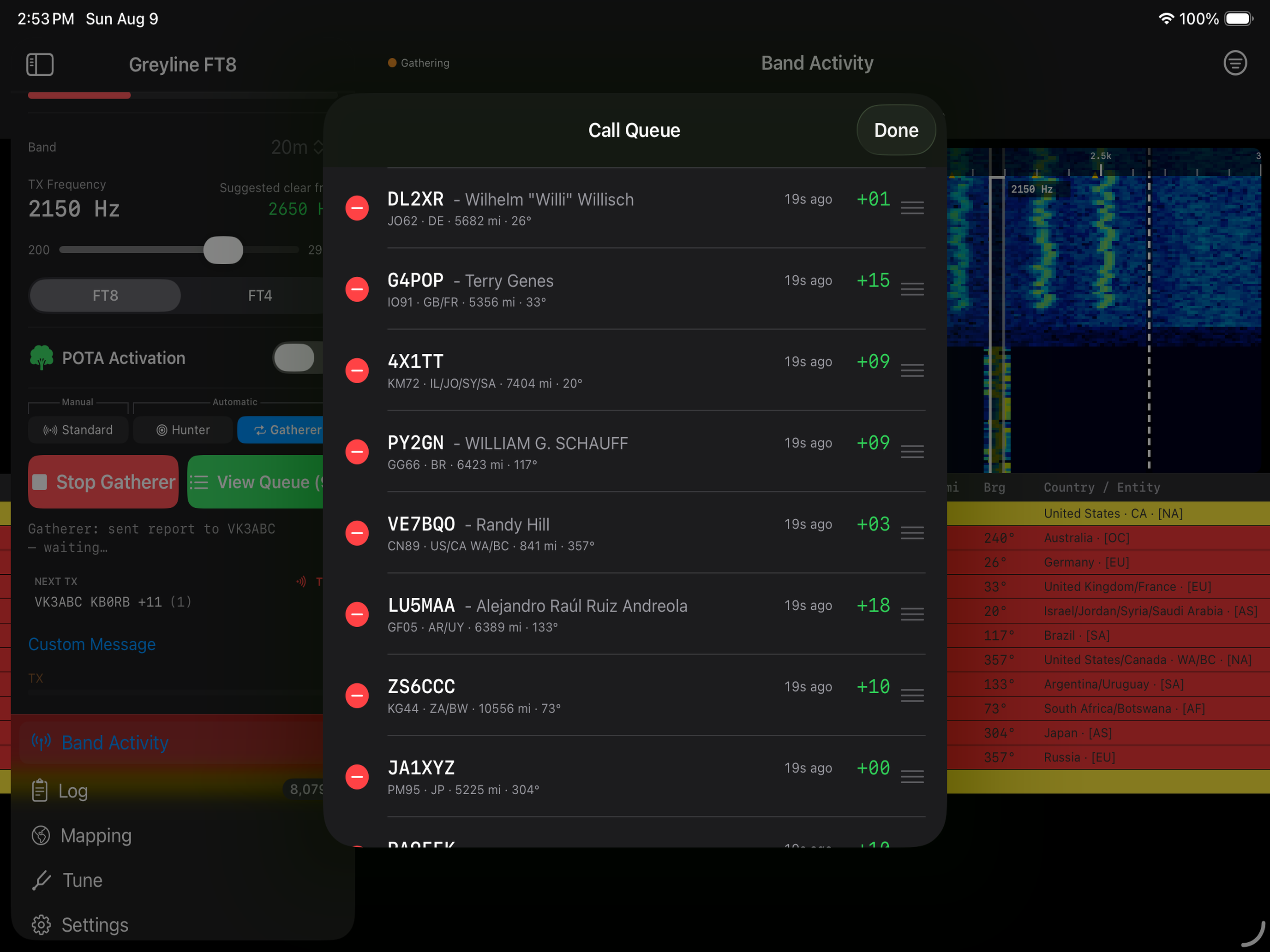
Standard, Hunter, and Gatherer automation modes handle the exchange sequence for you hands-free.
📻
Automatic Frequency Selection
Intelligently selects the best frequency for your QSO based on real-time band conditions. Want more control? Hold a specific frequency or dynamically change to your QSO partner's.
🗺️
Mapping
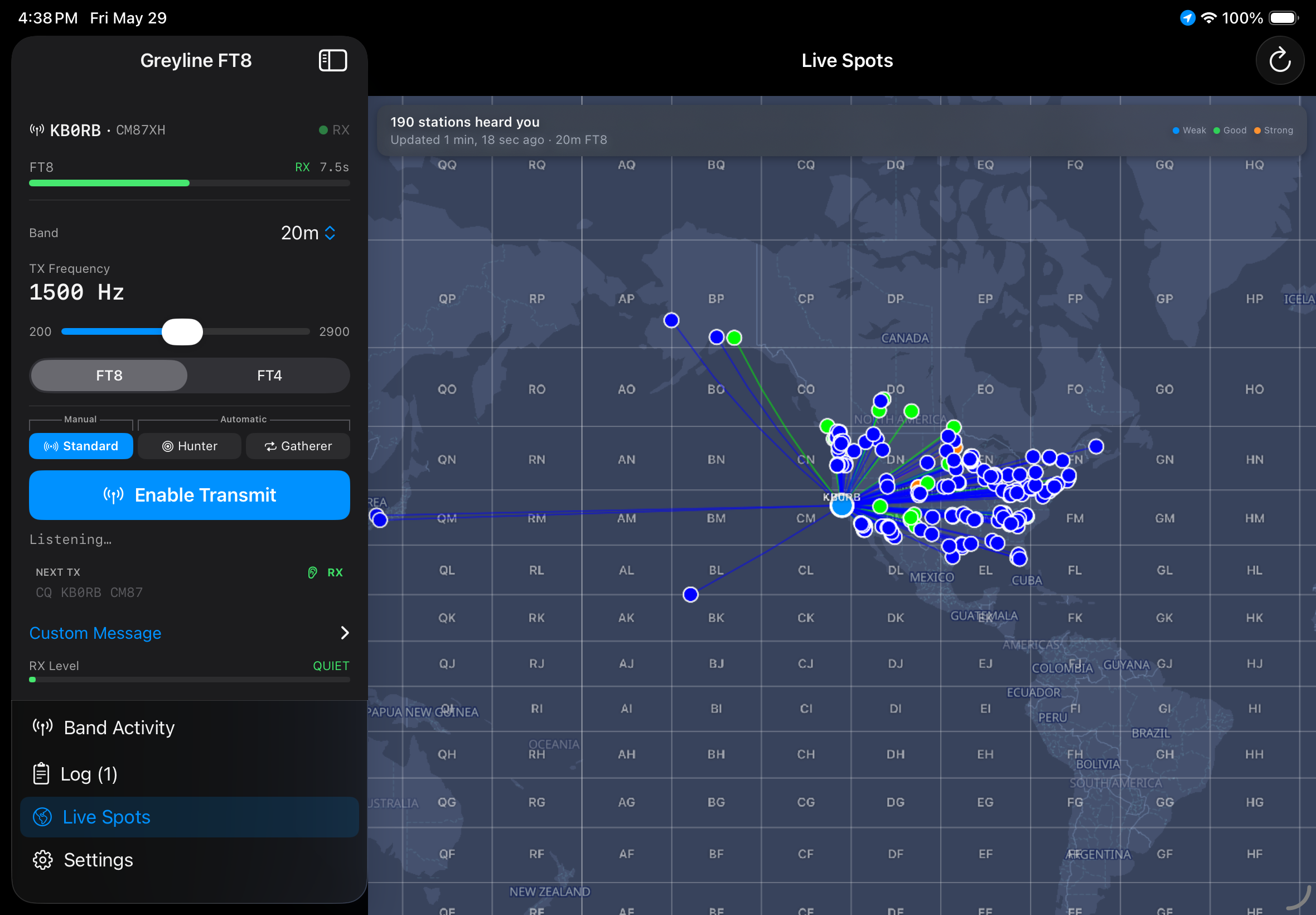
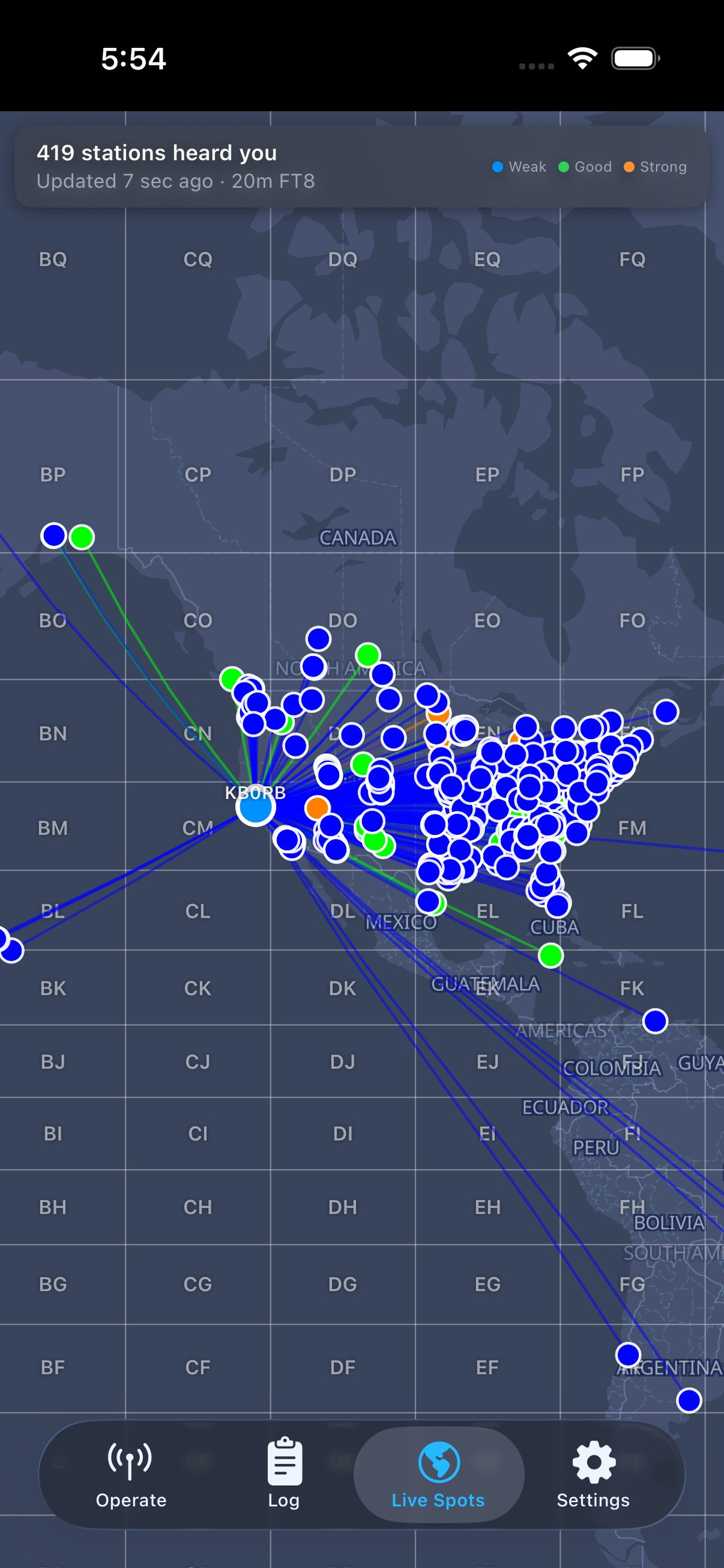
Three interactive map views in one: Live Spots shows stations hearing you via PSK Reporter, Stations Heard maps what you're decoding in real time, and Contacts Logged visualizes your log by band. No more guessing about propagation or antenna direction.
📋
Band Activity View
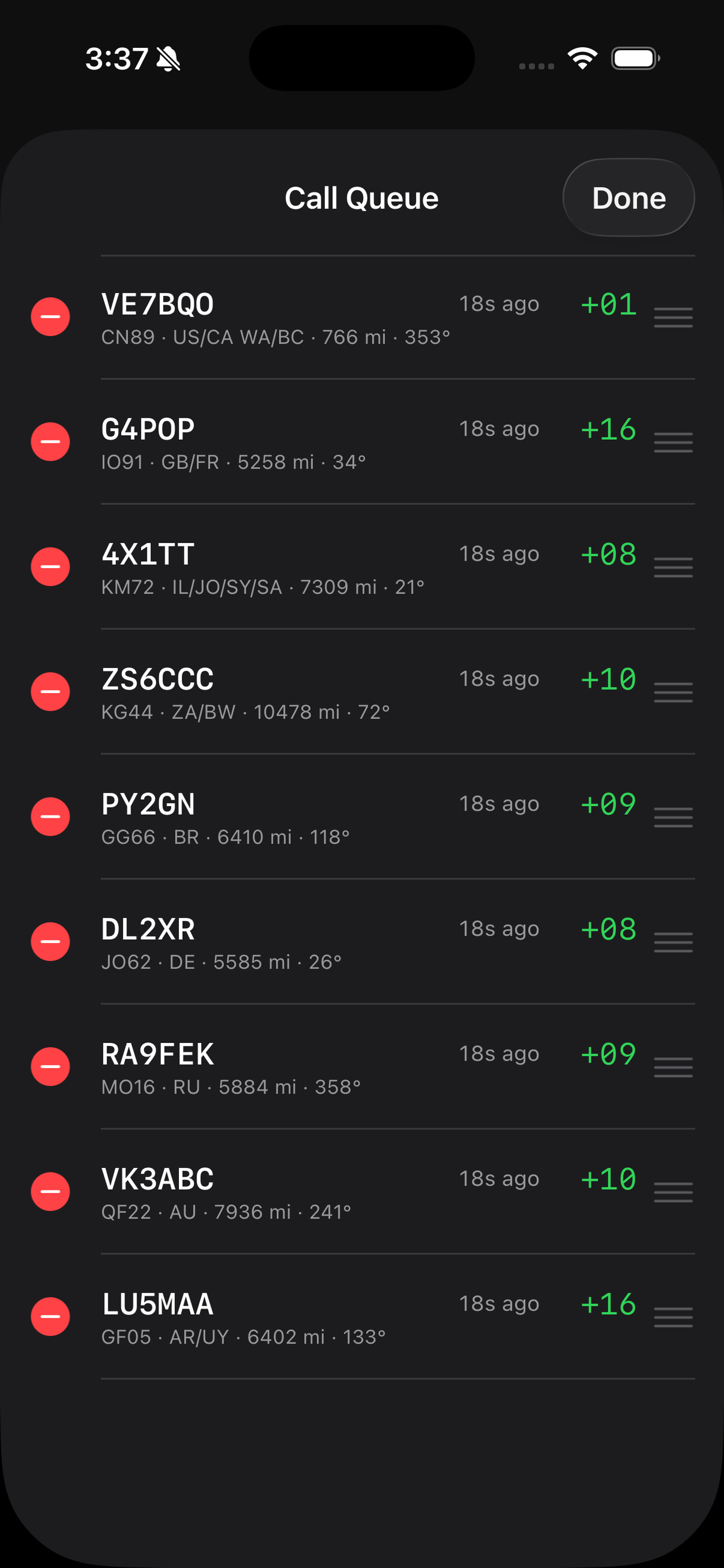
Decoded messages from the current band in an easy to read list, with Distance and Bearing columns computed from your GPS to each station's grid square. Familiar color coding from WSJT-X makes it a snap to understand what's happening.
📖
Integrated Logging
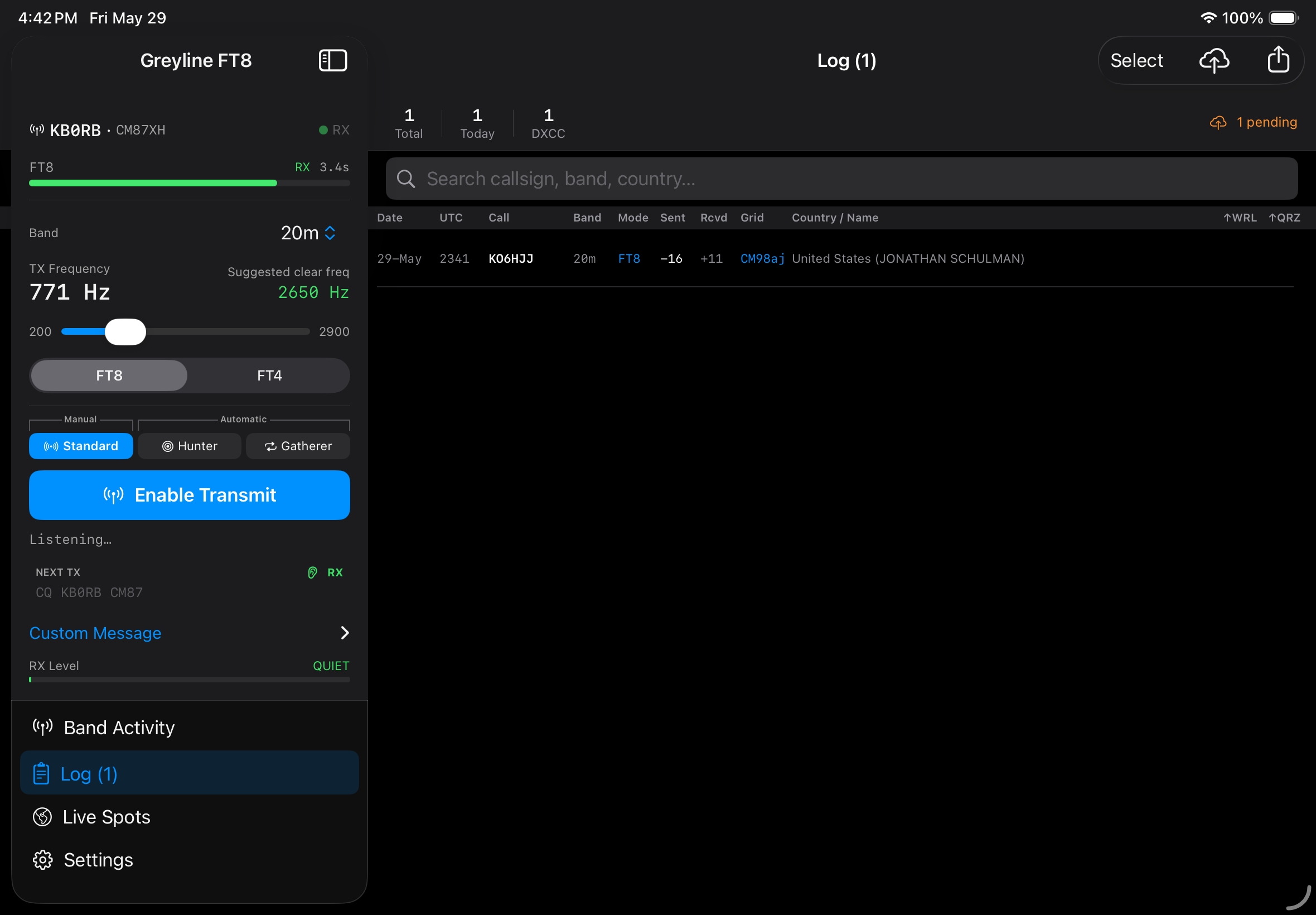
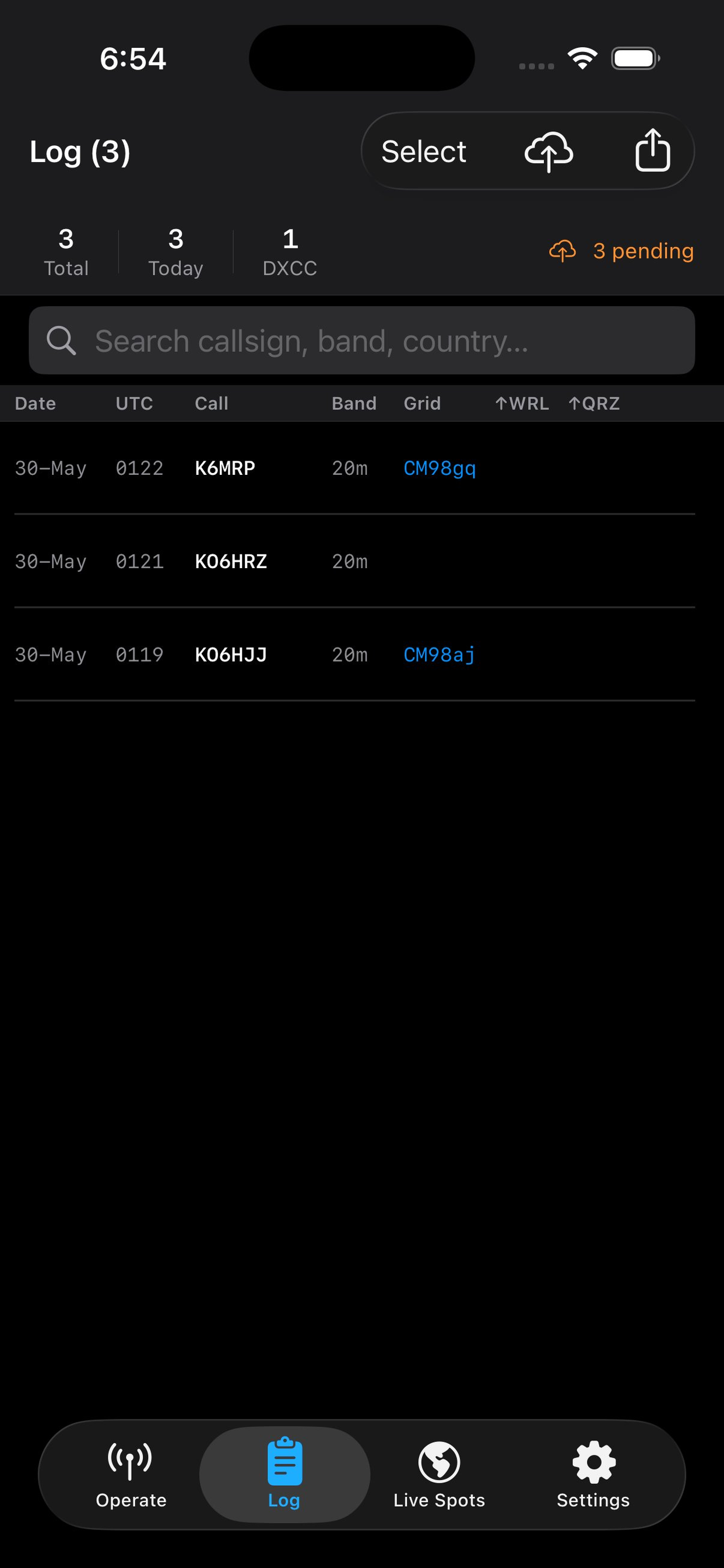
Auto-log completed QSOs directly to QRZ, Cloudlog, or World Radio League (WRL), export in standard ADI format, or import an existing log so the app knows who you've worked before. POTA activations get a dedicated one-touch ADIF export ready to upload straight to POTA.app, and their own named logbook in WRL.
🧑🔧
Intelligent Manual Log Recovery
Didn't quite finish a QSO? Moved on before you logged it? Intelligent manual logging lets you recover the data from recent conversations so you never miss a log entry.
🔍
Callsign Lookup
Fast, fully local DXCC, grid square, and callsign lookup using Big CTY data — no internet required. Online lookups via QRZ.com, HamQTH, or the free Callook.info service add operator details when you're connected.
🎙️
Audio Interface Support
Connect your Digirig, SignaLink, or other USB/Lightning audio interface and the app automatically routes both TX and RX through it. Just configure VOX and you're on the air!
📍
Auto Grid Square
Uses your device GPS to automatically populate your Maidenhead grid square locator, or provide an override if you're really off-grid.
📤
PSK Reporter Upload
Automatically reports decoded spots to PSK Reporter, contributing to the global propagation map and the ham radio community.
📻
Radio Tuning
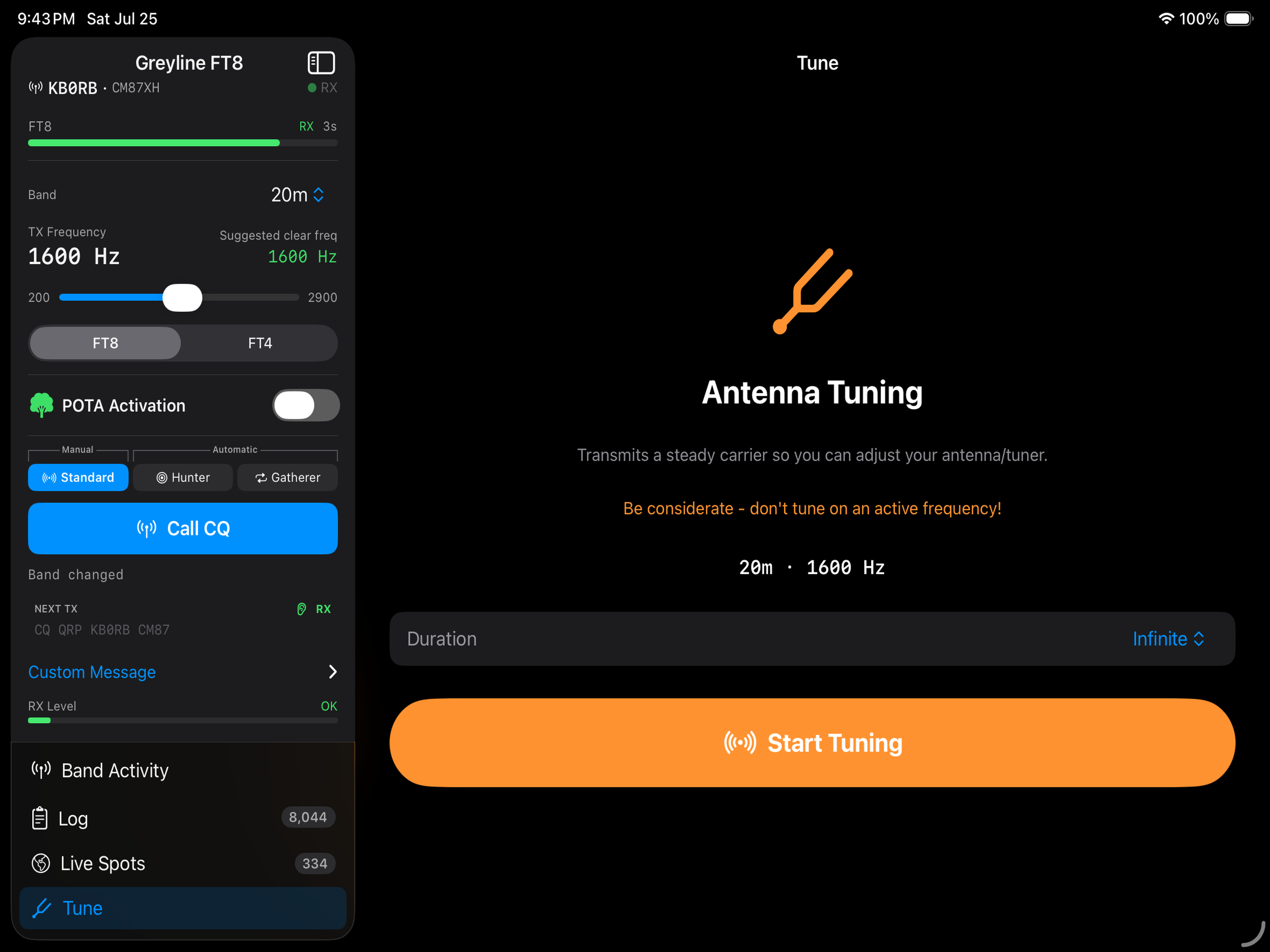
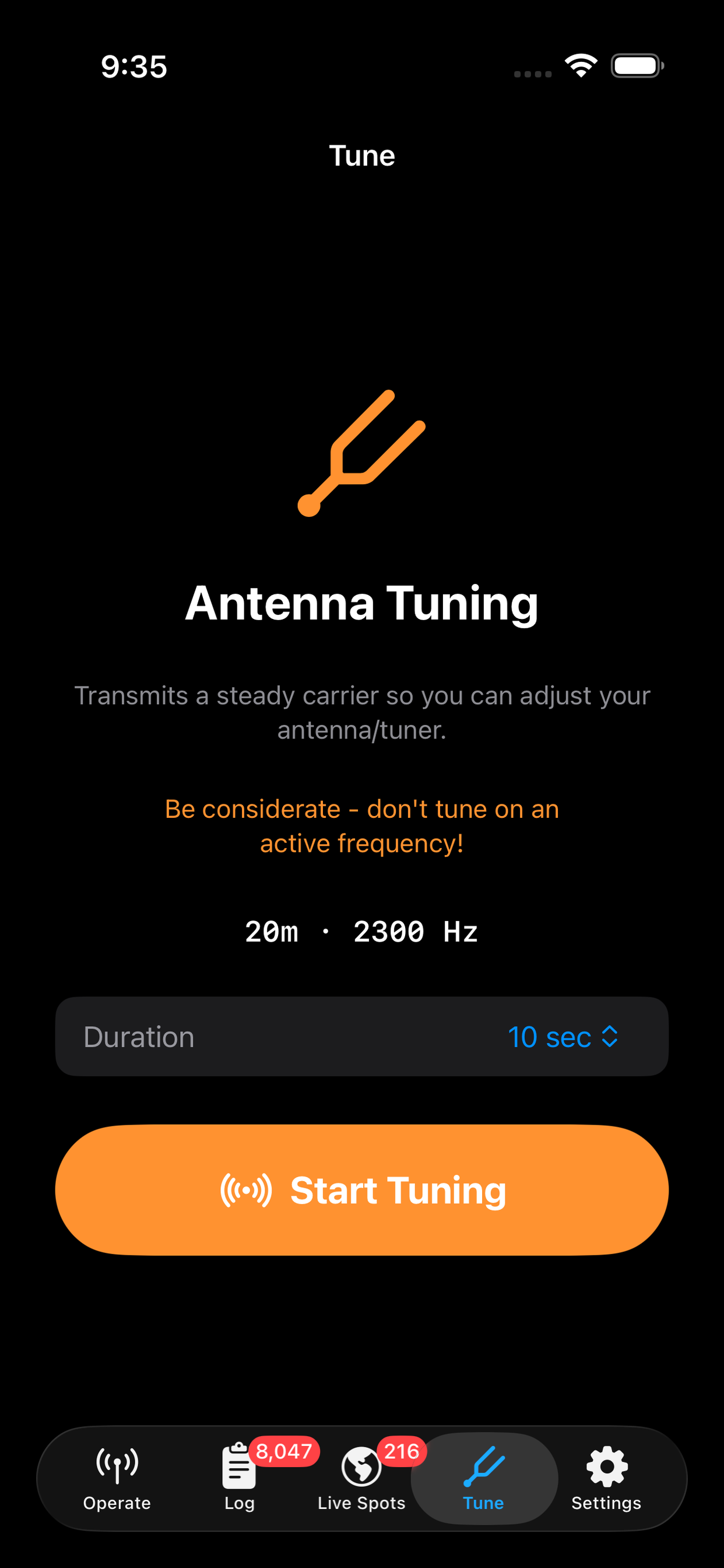
Transmit a constant carrier for a set duration to get your whole station dialed in: tune your ATU and check SWR, set your radio's VOX sensitivity, AF gain and Drive for perfect results. A large countdown display lets you see exactly how long you have left — even from 25 feet away at the other end of a wire antenna.
🎚️
Adjustable Gain Control
A Drive slider beside the waterfall and on the Tune screen sets your transmit level in 1 dB steps, so you can dial in your ALC without touching the volume buttons. Adjust on the fly — even mid-transmission — and watch your radio's meter respond. Prefer a bigger waterfall? The slider can be hidden in Settings.
🌙
Dark & Light Themes
Choose between dark, light, or system-adaptive appearance. Optimized for both nighttime shack use and outdoor operation.
📱
iPhone & iPad Native
Greyline FT8 has a fully adaptive layout that makes the best use of both device's unique screen sizes. Don't want to schlep an iPad to the park? Bet your phone's in your pocket already. The experience will be great - promise!